Vitepos
< 1 min read
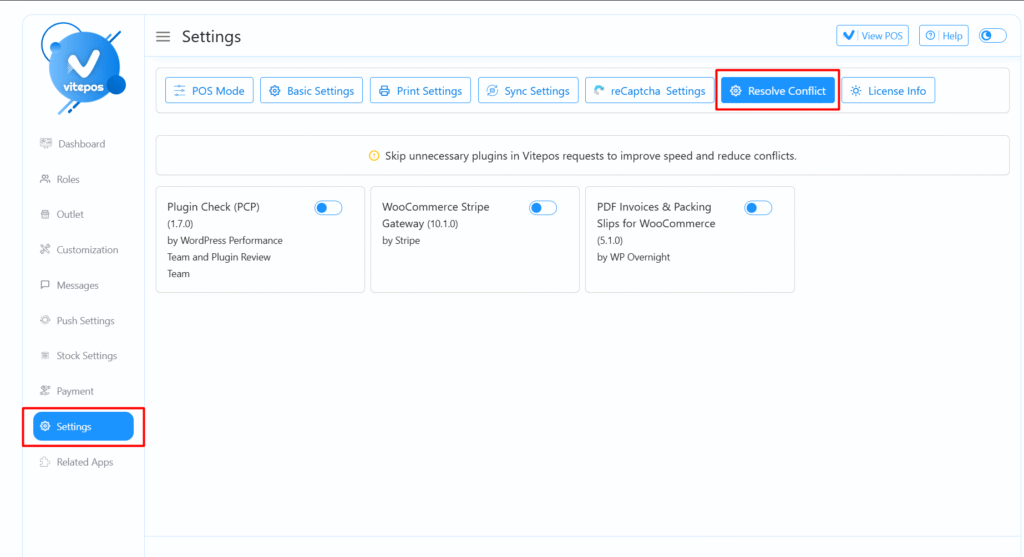
First, go to the VitePOS Admin Panel.
Navigate to the Settings section.
Inside the Settings page, you will find an option named “Resolve Conflict”.
In this section, you will see a list of plugins that may conflict with VitePOS.
Simply enable the switch next to any plugin you want VitePOS to ignore or skip.
This will help VitePOS run smoothly without disruptions caused by unnecessary or conflicting plugins.
Powered by BetterDocs