View Categories

Vitepos Stripe Payment Method

< 1 min read

How to Set Up Vitepos Stripe Payment Method #

The Vitepos Stripe Payment feature allows you to accept online card payments via Stripe. Please note that this feature is online-based only and does not include terminal payments.

Enable Stripe Payment #

  1. Go to the Vitepos Admin Panel
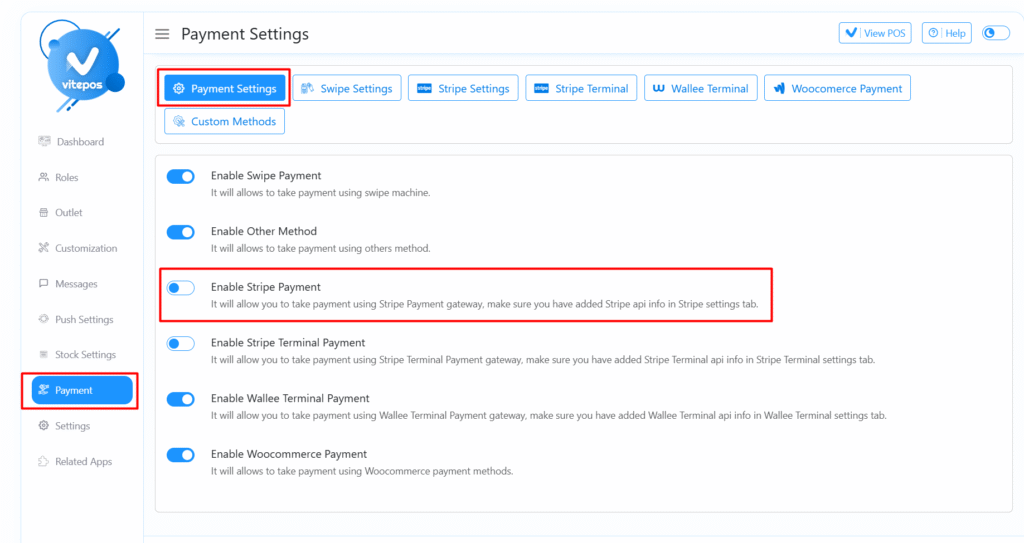
  2. Navigate to the Payment Settings tab under the Settings Module.
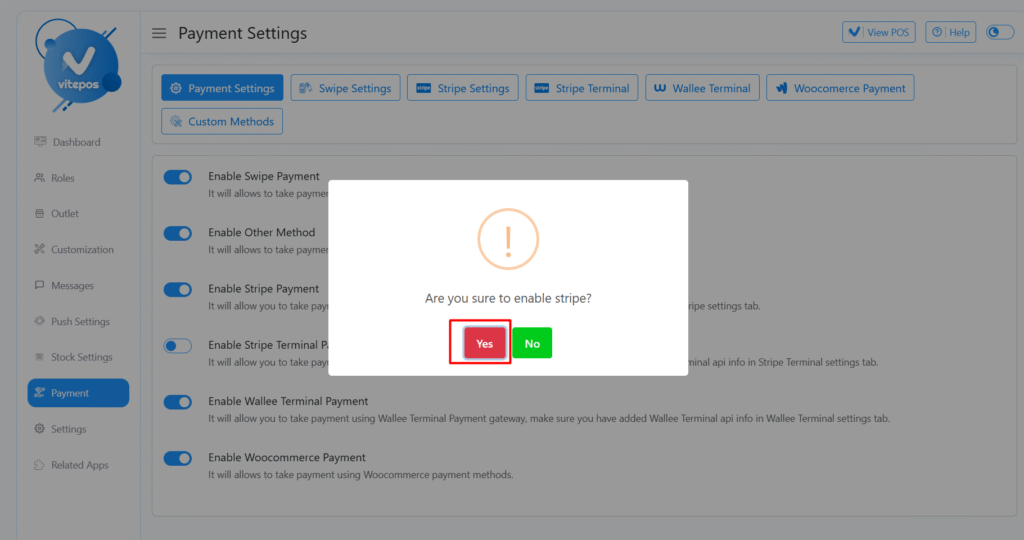
  3. Enable the Stripe Payment option.
Vitepos Stripe Payment Method

Configure Stripe Settings #

  1. Navigate to the Stripe Payment Settings tab
  2. Fill in all required details (API keys, credentials, etc.)
  3. Save the configured settings to complete the setup

Use Stripe Payment in POS #

  1. Open the POS panel.
  2. Select a few items.
  3. Continue to the checkout process.
  4. Choose Stripe as the payment method.
  5. Complete the order.
Vitepos Stripe Payment Method

Video Guide #

For a detailed step-by-step walkthrough, watch the Vitepos Stripe Payment Setup video:

Powered by BetterDocs
Scroll to Top