Vitepos
< 1 min read
The Waiter Tips Feature allows authorized users to add tips during the checkout process in the POS panel. The added tip will be included in the final bill and reflected on the receipt.
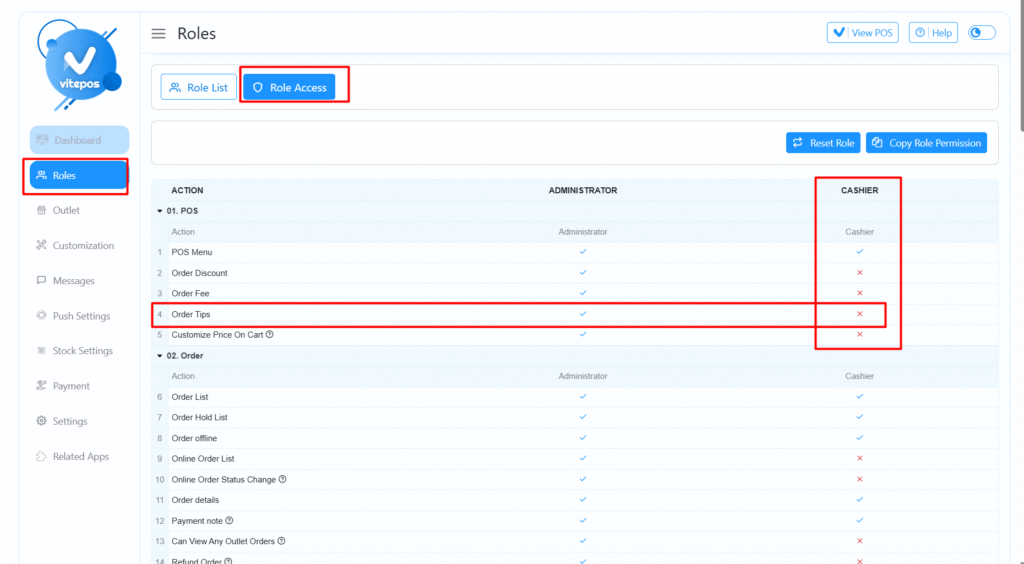
Now, enable permission for the user role to add tips during order.
After granting permission:
Once the order is completed, the added tip will be clearly reflected on the receipt.
For a more detailed explanation, please watch the Vitepos Waiter Tips video tutorial.
Powered by BetterDocs